

Background
A Current Living Situation is meant to record each contact with people experiencing homelessness by coordinated entry projects. This element provides information on the number of contacts required to engage the client as well as to document a current living situation each time the client is contacted.
Within SCES, staff members should record a Current Living Situation anytime any of the following occurs:
- A project start associated with coordinated entry; OR
- A coordinated entry event is recorded; OR
- The client's living situation changes; OR
- If a Current Living Situation hasn't been recorded for longer than a community-defined length of time (longer than 90 days)
Adding A Current Living Situation
Step 1: Navigate to the client's client profile
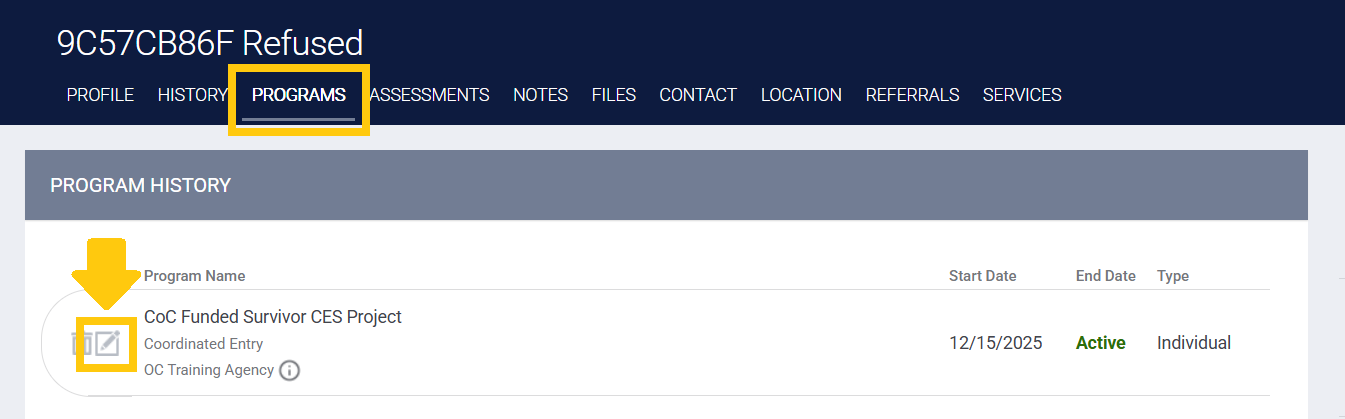
Step 2: Switch to the client's programs tab, and click on the edit button next to the SCES project enrollment
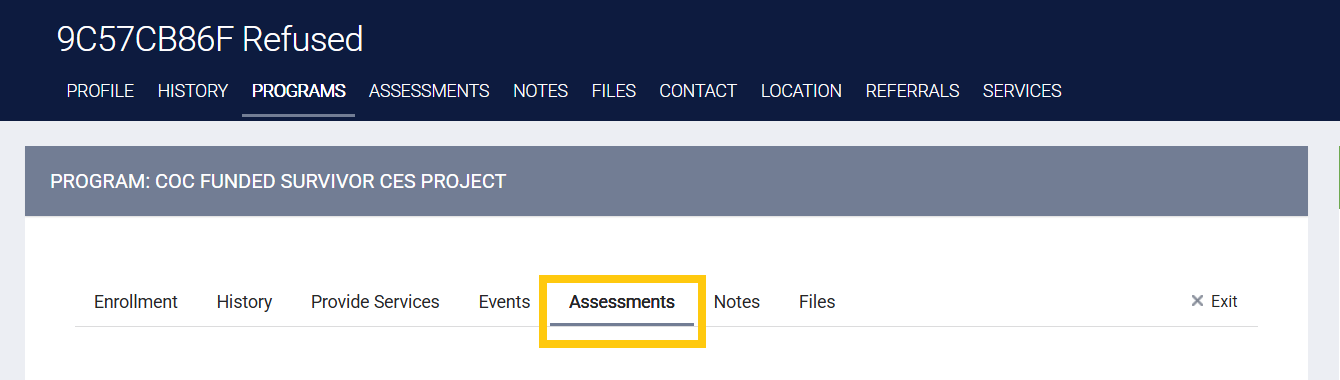
Step 3: Within the SCES project enrollment, switch over to the assessments subtab
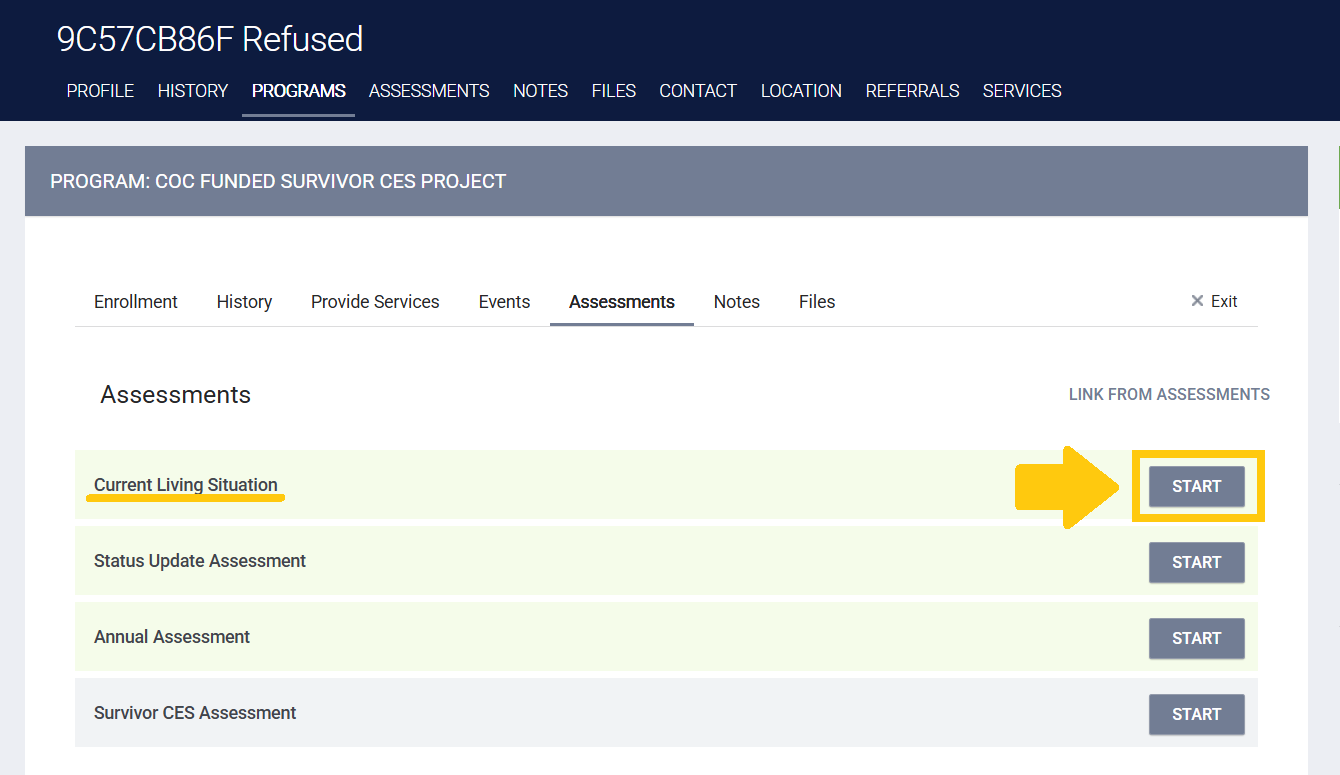
Step 4: Click on the "Start" button next to the Current Living Situation Assessment option
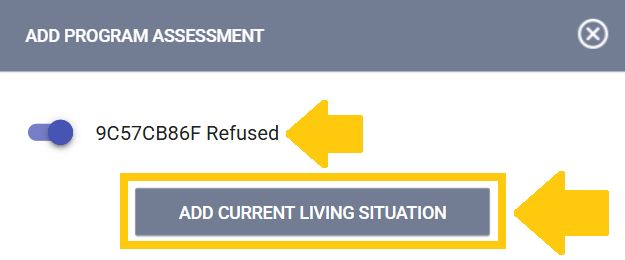
Step 5: In the pop-up window, select the toggle for all clients you're completing an assessment for, then click on the "Add Current Living Situation" button
Step 6: Complete the assessment
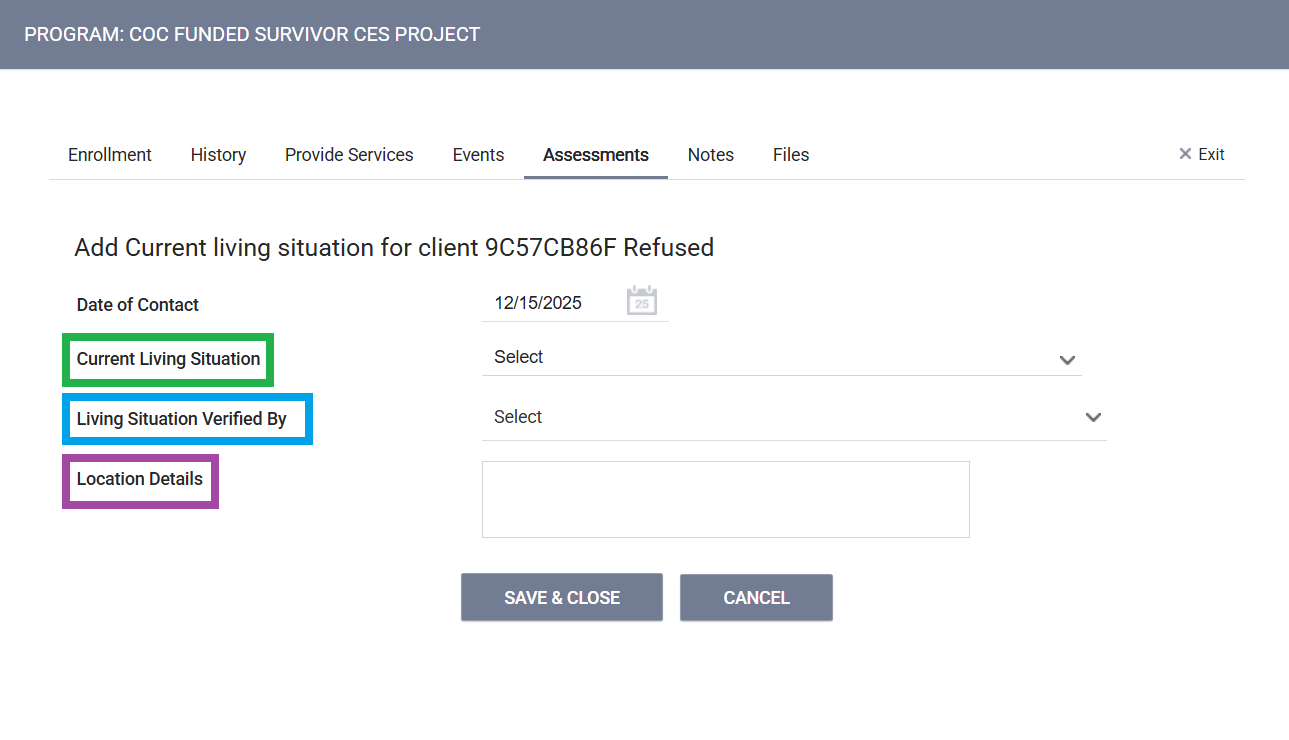
Current Living Situation
Select the situation that most closely resembles where the client is currently staying.
NOTE: Staff members can refer to the HMIS Data Standards Manual's Appendix A - Living Situation Response Categories and Descriptions for more detailed information regarding each specific current living situation option
Living Situation Verified By
Select CA-602 (Orange County) from the drop-down menu, then locate and select your agency's SCES project from the expanded list
Location Details (Optional)
While there is an option to provide the client's current location, this data element is not required or recommended for SCES
Step 7: Click on the "Save & Close" button to successfully record the assessment

