
SCES Events

Oct 01, 2026
3

Background
The purpose of Coordinated Entry Events is to capture key referral and placement events, as well as the results of those events. This will help our CoC understand the events that go into achieving desired, and undesired, results through SCES. This data element is intended to standardize data collection on core components of SCES such as access, assessment, referral, and prioritization.
CES Events
In order to complete a match, the Survivor CES Administrator (SCES Matchmaker) will add a Coordinated Entry Event (CE Event) within the SCES enrollment for the Head of Household (HoH).
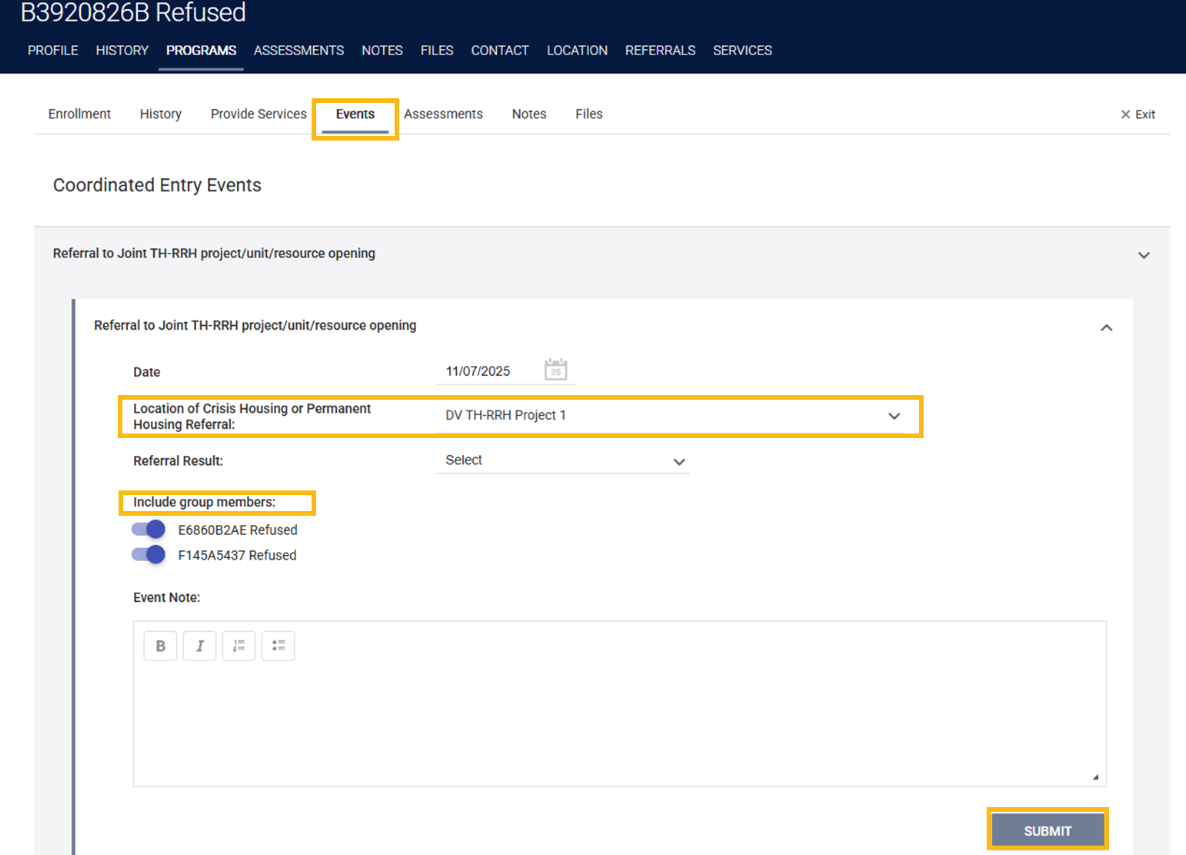
- The SCES Admin will navigate to client's SCES enrollment, click edit, and navigate to the Events tab.
- The SCES Admin will select an opportunity to fill out the Location of Crisis Housing or Permanent Housing Referral (e.g. DV TH-RRH Project 1) and push the toggle forward to include any members of the household that are participating. Clients matched to opportunities through the Orange County Coordinated Entry System (OC CES) should select Imported Project.
- The SCES Admin will click submit when all the information is accurate and this will record a CE Event for the HoH and household.
In order to record an outcome of the referral, the Access Point will carry out the following actions:
- The Access Point will need to review the SCES Pending Matches report to see any pending matches for any households that are matched to a project.
- Reports pathway: Launch Pad > Reports > Data Analysis > Orange County Survivor CES Reports > SCES Pending Matches for Access Points
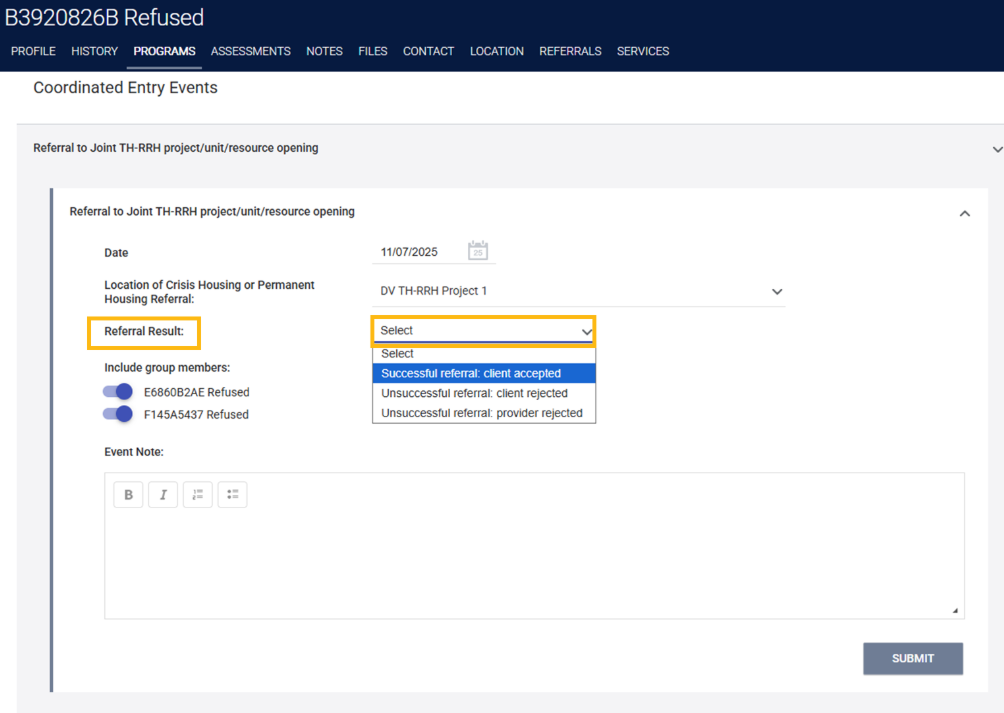
- The Access Point will update the CE Event created by the Survivor CES Administrator with one of the following referral results:
- Successful referral: Client accepted
- The client is matched to a housing opportunity through the Survivor CES, and is enrolled in the matched project.
- Unsuccessful referral: Client rejected
- The client is matched to a housing opportunity, but rejects the opportunity. This will be tracked by selecting Client in the new field titled Denied By Type.
- Unsuccessful referral: Provider rejected
- The client is matched to a housing opportunity, but the agency denies the referral, or the referral expires because it has not been updated for 90 days. When a provider rejects a referral, this will be tracked by selecting Provider in the new field titled Denied By Type.
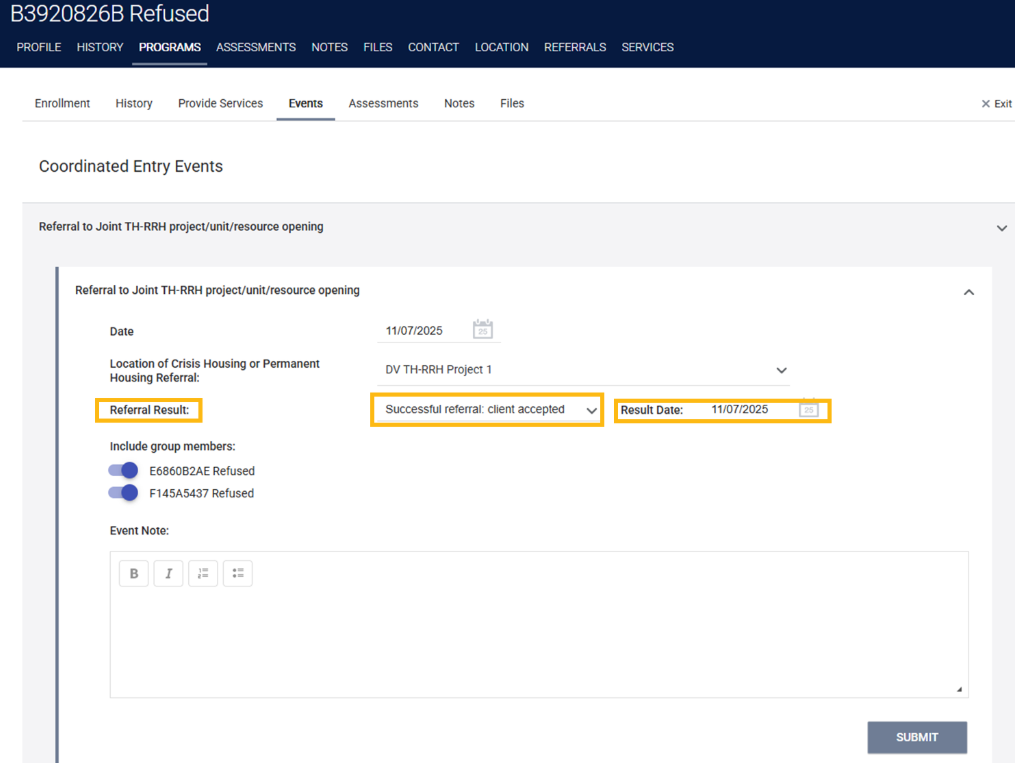
- Successful referral: Client accepted
- Once the Referral Result has been selected, the Access Point will enter the date the result occurred and click Submit to record an outcome of the referral.